


4
Dec
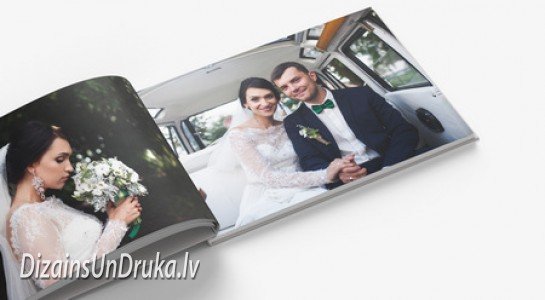
5 reccomendations how to create photobook
Your most beautiful life moments are already captured, and now comes the easiest part - sharing them with your loved ones. A photo book is a great way to preserve your memories and events and turn them into beautiful stories. When taking photos, everyone understands how important composition is, and the same should be kept in mind when creating your photo book.
Here are 5 tips for creating a great photo book:
1. Choose the right photos.
When preparing a photo book, it is important to carefully select the photos. You might be tempted to include all your best shots, but keep in mind that photos should flow rhythmically to tell a story. Start by selecting all the photos you like, then sort them, paying attention to their quality. Remember - if a photo is out of focus, enlarging and printing it will make it blurry in the book.
If you include only the best photos, your book might lack background context. It’s important to create context for strong photos by adding some that may seem slightly weaker (but still good quality). Avoid including everything - make thoughtful and critical choices when selecting your photo book content.
2. Tell a story with your photo book.
Whether it’s a wedding, birthday celebration, or party with friends, every event has its own sequence, and the same should be reflected in your book. Group your photos chronologically, thematically, or geographically. Even for expressive and artistic photo books, the order of photos plays an important role.
Arranging photos in chronological order or grouping them by story or theme is a great way to keep your “reader’s” attention.
3. Create your own photo book cover.
The image you choose for the book’s cover will be the first one every reader notices. Choose a high-quality, eye-catching photo that makes people want to see more. If possible, find an image that best represents the theme of your book so it’s clear at first glance what it’s about.
Full-cover photos look great and can easily include text. Choosing photo covers also makes the book easier to clean compared to non-standard covers with a fabric overlay.
4. Decide whether to add text.
A photo book doesn’t always need text, but it can be added if you feel it provides something the photos alone can’t. For example, you can include the photo’s location, date, title, event details, printing method, or your favorite quote. Avoid repeating what is already clear from the photo itself.
If you decide to use text, don’t place it randomly wherever there’s empty space. The text should fit into the layout, using one consistent font throughout the book that matches its style. Text can be placed anywhere on the page - even on the photos themselves - if it looks better stylistically.
5. Vary your photo book layouts.
First, consider whether you want photos to fill the entire page or have borders. If you choose full-page photos, make sure they slightly extend beyond the page edge so that when trimmed, no white border remains. If you choose to have margins, decide how large they should be.
If you’re creating a portfolio, having one photo per page might be the best choice. For event photo books, layouts will likely vary, with several photos on one page. Try to diversify your page layouts so the reader doesn’t get bored. You can reuse a layout more than once but place it in different parts of the book. Photo book layouts offer endless possibilities and variations. Changing the layout helps attract the reader’s attention.
Create your photo book together with “Dizains un druka”. Our professional designers will create the photo book design you want, and you will receive it in the shortest possible time. Read more about this service here: https://ej.uz/foto_gramata or contact us and we will answer all your questions.
Yours, Dizains un Druka.
+371 27863280
info@tipografijas.lv
http://www.tipografijas.lv/ Share this post

RELATED
Posts

Large format posters for advertising your business: step by step instructions
Learn how to create large-format posters with clear design, proper materials, and placement to enhance company recognition.
read more
Sticky Notes Printing: 5 Tips for Creating a Noticeable Design
Learn how printed notebooks increase your company's recognition with quality design, materials, and effective communication.
read more
What do you need to know about flyer printing to achieve excellent results?
Learn about effective flyer printing: the right design, material, and color selection increases customer attention and brand recognition.
read more